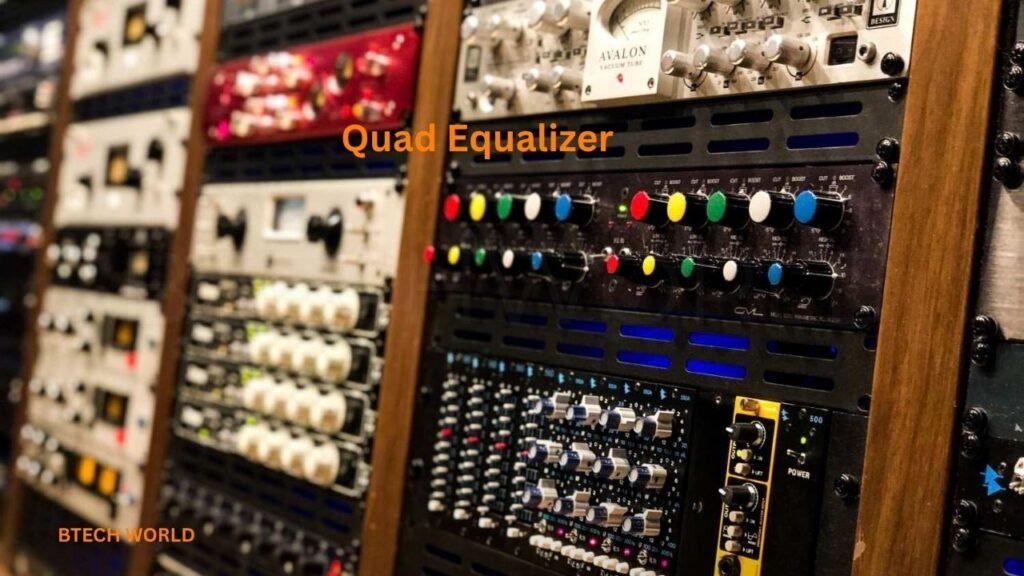
A quad equalizer is an audio adjustment tool that allows users to control different frequency ranges to improve the way music, games, videos, and other audio content sound. Equalizers are popular among music lovers, gamers, audio enthusiasts, and people who want more control over their listening experience. The term “quad equalizer” generally refers to an equalizer with four adjustable frequency bands, although the exact design and features depend on the particular device, application, or audio system.
Sound quality is not just about having powerful speakers or expensive headphones. The balance between bass, midrange, and treble also plays an important role in how audio is perceived. A quad equalizer gives listeners a simple way to adjust that balance without needing advanced audio engineering knowledge. By increasing or reducing selected frequency ranges, users can make music sound warmer, voices clearer, or high-frequency details more noticeable.
Understanding how a quad equalizer works can help you get better results from your existing audio equipment. Whether you listen to music on a smartphone, use a computer for gaming, watch movies through a home theater system, or enjoy music in your car, equalization can help you personalize your sound.
This guide explains quad equalizer technology, its main features, practical applications, setup process, advantages, limitations, and troubleshooting tips. It also explores how to choose suitable settings for different listening situations and how to avoid common mistakes that can reduce audio quality.
What Is a Quad Equalizer?
A quad equalizer is an audio processing tool that divides the sound spectrum into four adjustable frequency bands. Each band influences a particular part of the sound, allowing the listener to increase or decrease the energy in that range. This approach provides more flexibility than a simple bass-and-treble control while remaining easier to understand than a professional equalizer with dozens of bands.
The four bands may represent bass, lower midrange, upper midrange, and treble. However, not every quad equalizer uses the same frequency divisions. Some models use fixed frequencies, while others provide adjustable center frequencies, bandwidth controls, or additional sound-processing options. The available controls depend on the hardware or software implementation.
The primary purpose of a quad equalizer is to shape sound according to personal preference, listening conditions, and the characteristics of the audio equipment. For example, someone who enjoys electronic music might prefer stronger bass, while a person who frequently listens to podcasts might prioritize vocal clarity. A quad equalizer makes these adjustments possible without changing the original audio file.
It is important to understand that equalization does not automatically improve every recording. It changes the balance of frequencies rather than repairing every possible audio problem. When used carefully, however, it can make listening more comfortable and help audio sound more suitable for a particular environment.
How Does a Quad Equalizer Work?
Sound consists of vibrations that can be represented as different frequencies. Lower frequencies are generally associated with bass, middle frequencies contain much of the information that gives instruments and voices their character, and higher frequencies contribute brightness, articulation, and fine detail. These ranges overlap, so they should not be treated as completely separate categories.
A quad equalizer processes audio by applying gain or attenuation to selected frequency bands. Gain increases the level of a band, while attenuation reduces it. These changes are commonly measured in decibels, abbreviated as dB. A positive adjustment boosts a frequency range, and a negative adjustment cuts it.
For example, increasing a bass band by a few decibels can make kick drums and bass instruments more prominent. Reducing a narrow area of the midrange might help soften an unpleasant resonance, while a small treble adjustment can change how bright cymbals or vocal consonants sound. The result depends on the source recording, speaker or headphone response, room acoustics, and the equalizer’s design.
Equalizers can use different filter types, including shelving filters and peaking filters. A shelving filter affects frequencies above or below a selected point, while a peaking filter focuses on a particular region. Some four-band equalizers provide only basic controls, whereas more advanced versions allow the user to modify center frequencies and bandwidth.
The Four Main Frequency Bands
Although the exact frequency ranges vary, a quad equalizer commonly provides four controls that influence different parts of the audible spectrum. Learning what each control does makes it easier to adjust sound without relying entirely on random experimentation.
The bass band affects low-frequency energy. It influences the weight of kick drums, bass guitars, electronic bass sounds, and deep cinematic effects. Boosting this band can create a fuller presentation, but excessive bass may make music sound muddy or cause small speakers to distort.
The lower-midrange band helps shape the body and warmth of voices and instruments. Too much energy in this area can make audio sound thick or congested, particularly when several instruments overlap. Reducing it slightly may improve separation, although aggressive cuts can make voices and instruments sound thin.
The upper-midrange band contributes to vocal presence, instrument definition, and the clarity of many musical details. Adjustments here can make speech easier to understand or help certain instruments stand out. However, excessive boosting may make vocals harsh, nasal, or tiring during long listening sessions.
The treble band influences brightness, crispness, and the perception of fine detail. It affects sounds such as cymbal strikes, high-frequency percussion, and the sharper elements of speech. Raising treble can create a more open presentation, but too much can emphasize hiss, sibilance, or recording imperfections.
Quad Equalizer Features and Controls
The features of a quad equalizer depend on whether it is integrated into an audio device, offered as part of a software application, or provided as a dedicated hardware unit. Basic models focus on four frequency controls, while advanced implementations may include additional tools for managing overall sound.
One common feature is independent band adjustment. Each control affects a selected frequency region, allowing users to customize the tonal balance. This is useful when a recording sounds overly bass-heavy, a headphone has a noticeable treble peak, or a room makes certain frequencies seem too prominent.
Another useful feature is a preset system. Presets store combinations of equalizer settings designed for different listening preferences. Common labels include music, vocal, bass boost, classical, and cinema. These labels provide convenient starting points, but their actual effect varies between applications. A preset called “vocal” on one device may sound different from a preset with the same name on another.
Some quad equalizers also include a preamp or master-level control. This adjusts the overall signal level before or during equalization, depending on the implementation. It can help prevent clipping when several bands are boosted. More advanced systems may offer bypass controls, allowing users to compare the processed signal with the original sound.
Other possible features include saving custom profiles, switching between headphones and speakers, and integrating equalization with an operating system or audio driver. These options should not be assumed to exist on every product described as a quad equalizer. Checking the specifications of the particular application or device is the best way to confirm its capabilities.
Benefits of Using a Quad Equalizer
One major advantage of a quad equalizer is simplicity. Instead of working with many sliders and technical parameters, users can make a handful of adjustments and quickly hear the results. This makes four-band equalization suitable for beginners who want more control over their audio without spending hours learning complex production tools.
Another benefit is personalization. People have different listening preferences, and audio equipment does not reproduce every frequency equally. A quad equalizer can help compensate for some tonal differences by allowing users to increase or reduce particular ranges. It can also help adapt sound to a quiet room, a noisy environment, or a specific type of content.
A quad equalizer can also improve perceived clarity. If bass energy is overwhelming the rest of a recording, a small reduction may help vocals and instruments become easier to distinguish. Similarly, reducing a harsh frequency region may make some recordings more comfortable to hear. The important point is that clarity often improves through balanced adjustments rather than simply increasing every band.
Finally, a quad equalizer can encourage better listening habits. Experimenting with frequency balance teaches users to recognize how bass, midrange, and treble interact. Over time, they may become more confident at identifying why certain headphones, speakers, or recordings sound different from one another.
Quad Equalizer for Music Listening
Music is one of the most common reasons people use equalization. Different genres place different demands on the audio spectrum, and listeners often prefer different tonal balances. A quad equalizer offers a practical way to adjust the presentation without modifying the original recording.
For hip-hop, electronic music, and other bass-focused genres, a modest low-frequency boost may create a stronger sense of impact. However, bass should remain controlled enough to preserve vocals, percussion, and other instruments. If the sound becomes boomy or the speaker begins to distort, reducing the boost is usually a better solution than increasing the volume further.
Rock and pop music often benefit from a balanced midrange because vocals, guitars, keyboards, and drums share a large portion of the audible spectrum. Small adjustments may help separate these elements, but the ideal setting depends on the recording and equipment. Some mixes are already carefully balanced and need little or no equalization.
Classical, acoustic, jazz, and instrumental recordings may benefit from natural tonal balance rather than dramatic changes. A slight adjustment can sometimes make strings, piano, brass, or percussion sound more comfortable, but excessive processing may alter the intended character of the performance. Starting with a flat setting is often a sensible approach.
Quad Equalizer for Gaming
Gaming audio contains several important elements, including dialogue, environmental sounds, music, and directional cues. A quad equalizer can help players personalize these elements, although it cannot automatically create accurate positional audio or replace a good headset.
For competitive games, some players prefer a balanced sound profile that keeps footsteps, reloads, and other environmental cues audible without allowing bass-heavy explosions to dominate. A small reduction in excessive low-frequency energy may help certain details stand out. However, the best settings depend on the game’s audio mix and the frequency response of the headset.
Story-driven games often benefit from a fuller, more cinematic presentation. A little extra bass can add weight to explosions and background effects, while a controlled treble response can preserve detail. Dialogue should remain clear, particularly when the game includes quiet conversations or important spoken instructions.
It is also important to distinguish equalization from spatial audio. A quad equalizer changes frequency balance, whereas surround-sound processing and headphone virtualization attempt to influence the perception of direction and space. These technologies serve different purposes and may be used together if the software and hardware support them.
For mobile gaming, including games played on Android devices, equalizer availability depends on the phone, audio output, operating system, and installed applications. Some phones provide built-in sound effects, while others rely on compatible headphones or third-party software. Always confirm that an equalizer actually affects the game’s audio before spending time adjusting its controls.
Quad Equalizer for Movies and Videos
Movies and videos combine dialogue, background music, sound effects, and sometimes powerful low-frequency effects. A quad equalizer can help users tailor this mixture to their speakers, headphones, and viewing environment.
Dialogue clarity is particularly important when watching films or television shows. If voices sound muffled, reducing excessive bass or lower-midrange energy may improve intelligibility. A small adjustment to the upper midrange can sometimes make speech more prominent, but excessive boosting may make voices sound sharp or unnatural.
Action movies often contain deep impacts, dramatic music, and sudden changes in loudness. A moderate bass adjustment can make these effects more engaging, but large boosts may overwhelm dialogue or cause distortion on smaller speakers. The equalizer cannot recover details that are absent from the original soundtrack, and it cannot replace a properly configured surround-sound system.
For online videos, tutorials, interviews, and educational content, balanced sound is often more useful than a dramatic entertainment profile. Clear speech, comfortable volume, and controlled background noise usually matter more than strong bass. A simple four-band adjustment can make these videos easier to follow, especially when the playback device has an uneven tonal balance.
How to Set Up a Quad Equalizer
Setting up a quad equalizer begins with identifying where audio processing is available. On a computer, it might be included in an audio driver, media player, sound application, or dedicated equalizer program. On a smartphone, the relevant controls may appear in sound settings, a music application, or a compatible headphone companion app.
Start by playing familiar audio at a comfortable volume. Choose a recording you know well, preferably one containing vocals, bass, and instruments. Familiar material makes it easier to recognize whether an adjustment improves the sound or simply makes it louder or more dramatic.
Next, locate the four frequency controls and identify their labels or frequency values. If the software provides numerical frequencies, use those values rather than assuming that every slider represents the same part of the spectrum. Make one adjustment at a time and listen for a clear difference before changing another control.
Keep a record of settings that work well. If the equalizer supports custom profiles, save a neutral setting and one or two personal profiles. This makes it easier to return to a known configuration if experimentation produces an unpleasant result. If the software includes a bypass option, use it periodically to compare the adjusted sound with the original.
Recommended Quad Equalizer Settings for Beginners
There is no single equalizer curve that works perfectly for every person, headphone, speaker, and recording. Nevertheless, beginners can use a few general approaches as starting points. The following suggestions describe tonal goals rather than exact numerical settings because four-band equalizers often use different center frequencies and gain ranges.
For balanced everyday listening, begin with all four bands at zero decibels. This is commonly called a flat setting. Listen to several types of audio before deciding whether a change is necessary. A flat setting does not guarantee perfectly neutral sound, because the equipment and room still influence the result, but it provides a useful reference.
For a warmer presentation, consider a small bass increase while keeping the midrange relatively natural. If vocals become difficult to understand, reduce the bass boost or make a subtle adjustment to the lower midrange. Avoid raising every frequency simply because you want the sound to feel more powerful.
For clearer speech, prioritize balance over brightness. If the audio sounds boomy, a modest low-frequency reduction may help. If voices lack presence, a small upper-midrange increase might be worth testing. If speech becomes harsh or sibilant, reverse some of that adjustment instead of increasing the treble further.
For detailed music playback, use gentle changes and evaluate each recording individually. A small treble increase can make some headphones sound more open, but recordings that already contain strong high frequencies may become tiring. When uncertain, make smaller adjustments and spend time listening before deciding whether to keep them.
Quad Equalizer Versus a Graphic Equalizer
A quad equalizer and a graphic equalizer both adjust frequency balance, but they differ in the number and flexibility of their controls. A four-band model offers a relatively simple interface, while a graphic equalizer commonly provides more sliders covering narrower frequency regions.
The main advantage of a quad equalizer is ease of use. Four controls are easier to understand, and a few carefully chosen adjustments can be sufficient for everyday listening. This makes it a practical choice for casual music playback, basic speaker tuning, and users who do not need detailed audio correction.
A graphic equalizer can provide more precise control over individual frequency regions. This is useful when dealing with a particular resonance, refining headphone response, or shaping sound for a specific listening environment. However, more controls also mean more opportunities to make unnecessary or counterproductive changes.
Neither design is automatically superior. The right choice depends on the problem being addressed. If the goal is a straightforward tonal adjustment, four bands may be enough. If the goal is detailed sound correction or professional audio work, a more flexible equalizer may be preferable.
Quad Equalizer Versus a Parametric Equalizer
A parametric equalizer generally offers greater control over the frequency, gain, and bandwidth of each filter. Instead of simply adjusting a predetermined bass or treble band, the user can often choose exactly where the adjustment occurs and how broadly it affects neighboring frequencies.
This flexibility is valuable when correcting a specific tonal problem. For example, if a headphone produces an unpleasant peak in a narrow frequency range, a parametric equalizer can target that area more precisely than a basic four-band design. This level of control is particularly useful for experienced listeners, audio engineers, and people following measured headphone correction profiles.
A quad equalizer remains attractive because it requires less technical knowledge. Users can make broad tonal adjustments without understanding filter bandwidth or frequency-response measurements. In many everyday situations, this simpler approach is entirely adequate.
The important distinction is not that one equalizer always sounds better. Both can produce useful results when configured properly. A parametric equalizer simply offers more detailed control, while a quad equalizer prioritizes straightforward operation.
Common Quad Equalizer Mistakes to Avoid
One of the most common mistakes is boosting every band at once. Raising bass, midrange, and treble together may increase the overall signal level without creating a more balanced sound. It can also reduce available digital headroom and increase the risk of clipping. Instead, identify what seems wrong and adjust only the relevant region.
Another mistake is making large changes immediately. A dramatic bass boost might sound exciting for a few seconds, but it can quickly become tiring or hide important details. Begin with small adjustments, listen carefully, and increase the change only if it clearly improves the result.
Many users also confuse loudness with sound quality. A processed signal may seem better simply because it is louder than the original. When comparing settings, keep playback volume as consistent as possible. Otherwise, it becomes difficult to determine whether the equalizer genuinely improved the tonal balance.
Finally, avoid copying settings without considering the equipment. A profile designed for one headphone may sound poor on another because their frequency responses differ. Room acoustics, ear shape, headphone fit, and personal hearing preferences also affect the result. Treat online recommendations as experiments rather than universal solutions.
Understanding Decibels and Frequency Response
Decibels are used to describe changes in signal level. In equalization, a positive decibel value indicates a boost, while a negative value indicates a cut. The numerical value does not tell the entire story, because the audible effect depends on the affected frequency, the filter shape, and the audio content.
For beginners, small adjustments are usually easier to evaluate than large ones. A change of a few decibels can noticeably alter the tonal balance, although the perceived effect varies. Increasing a frequency band by a substantial amount may sound impressive initially but can also introduce harshness, distortion, or an unnatural presentation.
Frequency response describes how an audio system reproduces different frequencies relative to one another. Ideally, the relationship between frequencies should suit the listener’s needs and the intended playback environment. In practice, headphones, speakers, rooms, and recordings all influence the final response.
A quad equalizer can modify some of these differences, but it cannot fix every limitation. It cannot turn a low-quality speaker into a high-end studio monitor, remove all background noise, or restore information missing from a recording. Understanding these limits helps users develop realistic expectations and avoid excessive processing.
Does a Quad Equalizer Improve Audio Quality?
A quad equalizer can improve the listening experience when its adjustments address a genuine problem or better match personal preferences. For example, reducing excessive bass may make dialogue clearer, while a gentle midrange adjustment might help vocals become more prominent. The improvement depends on the starting sound and the accuracy of the adjustment.
However, equalization does not automatically improve technical audio quality. It does not increase the original recording’s resolution or recover lost details. If the source file is heavily compressed or distorted, a simple four-band equalizer cannot fully repair it. In some cases, additional processing may make the original problems more obvious.
The best approach is to treat equalization as a tool for controlling tonal balance. Begin with a flat response, identify what you want to change, and make modest adjustments. Compare the processed sound with the original and keep the changes that genuinely improve comfort, clarity, or enjoyment.
It is also worth remembering that personal preference matters. Some listeners prefer a neutral presentation, while others enjoy stronger bass or brighter treble. A setting does not have to match another person’s taste to be useful, provided it remains comfortable and does not create obvious distortion.
Quad Equalizer for Headphones and Speakers
Headphones and speakers reproduce sound differently, so an equalizer profile that works well with one type of equipment may not work equally well with another. Headphones deliver sound close to the ears and are strongly influenced by their design, fit, and frequency response. Speakers interact with the room, furniture, and listening position.
Closed-back headphones can produce substantial bass, while some open-back designs provide a more spacious presentation. These are general tendencies rather than strict rules, and individual models vary widely. A quad equalizer can help adjust the tonal balance, but users should avoid assuming that every headphone requires a bass boost or treble increase.
Speakers introduce additional variables. Their placement, distance from walls, room dimensions, and the position of the listener can change the perceived bass and midrange. If the sound is boomy, moving the speakers or adjusting the listening position may be more effective than applying a large equalizer cut.
For either setup, make changes while sitting in the usual listening position and using familiar material. If possible, test several recordings and moderate volume levels. A profile that sounds exciting on one track but unpleasant on everything else may be too specialized for everyday use.
Troubleshooting Quad Equalizer Problems
If a quad equalizer appears to have no effect, first check whether it is enabled. Some applications include a bypass switch that disables processing while leaving the controls visible. Also verify that the selected playback device is the one actually producing the sound.
If the equalizer works in one application but not another, the software may process only audio routed through a particular player or output. Operating-system audio settings, exclusive playback modes, driver configuration, and application-specific processing can affect whether equalization is applied. Review the available documentation for the device or program.
Distortion after boosting frequencies often indicates that the signal level has become too high or that the playback hardware cannot reproduce the requested output cleanly. Reduce the boosted bands, lower the preamp if available, and avoid compensating for distortion by increasing the volume. If distortion continues with equalization disabled, investigate the source file, cable, connection, speaker, or headphones.
If the sound becomes harsh, muddy, thin, or tiring, return the controls to a flat position and start again. Change one band at a time and use smaller adjustments. This simple reset often reveals whether the problem comes from the equalizer settings or from another part of the audio system.
Is a Quad Equalizer Suitable for Beginners?
A quad equalizer is generally well suited to beginners because it limits the number of controls that need to be understood. Users can learn the relationship between bass, midrange, and treble without navigating a complicated interface. The smaller number of bands also encourages a more deliberate approach to sound adjustment.
Beginners do not need specialized audio equipment or advanced technical knowledge to experiment with equalization. A smartphone, computer, music player, or compatible headset may already provide the necessary tools. The main requirements are a familiar audio source, a comfortable listening volume, and enough patience to evaluate small changes.
The most useful learning method is to make one change at a time. Increase or decrease a band slightly, listen for the difference, and return to the original setting before testing another adjustment. This process builds an understanding of how frequency balance affects different recordings.
With practice, users can develop personal profiles for music, gaming, movies, and spoken content. These profiles should remain flexible rather than becoming fixed rules. A setting that works well for one headphone or room may need adjustment when the playback equipment changes.
How to Choose the Right Quad Equalizer
Choosing a quad equalizer begins with identifying where and how you plan to use it. Someone who mainly listens to music on a computer may need software with convenient presets and compatibility with their playback applications. A smartphone user may prefer a built-in audio feature or a supported headphone application.
Compatibility is particularly important. Not every equalizer works with every operating system, audio device, or application. Before installing software or purchasing hardware, check the supported platforms, available outputs, and whether processing applies system-wide or only within a particular program.
Ease of use is another consideration. A clear interface with labeled frequency bands, gain values, and a bypass control makes experimentation more straightforward. The ability to save custom profiles can also be useful for listeners who switch between different headphones or listening activities.
Finally, consider reliability and audio-processing quality rather than judging an equalizer only by its appearance or preset names. Read the documentation, confirm that the software comes from a trustworthy source, and avoid installing unknown programs that request unnecessary permissions. A simple, reliable equalizer is often more useful than a complicated tool with features you never need.
The Future of Equalizer Technology
Equalizer technology continues to develop alongside headphones, smartphones, computers, streaming services, and digital audio systems. Traditional equalizers remain useful because they give listeners direct control over tonal balance, but modern audio applications increasingly combine equalization with automatic processing and personalized profiles.
One developing area is personalized audio correction. Some systems use headphone measurements, hearing-related preferences, or user-selected targets to suggest adjustments. These approaches can reduce the amount of manual experimentation required, although their results depend on the quality of the measurements and the accuracy of the implementation.
Another area is integration with gaming and entertainment software. Audio applications may provide profiles for different activities, allowing users to switch between music, dialogue-focused playback, and gaming without manually changing every control. Such features can make equalization more accessible to people who prefer convenience over detailed adjustment.
Despite these developments, the basic principle remains unchanged: equalization changes the balance of frequencies. A quad equalizer continues to provide a straightforward way to make those changes, and its simplicity remains valuable even as more advanced audio tools become available.
Frequently Asked Questions About Quad Equalizer
What Is a Quad Equalizer Used For?
A quad equalizer is used to adjust four frequency bands in an audio signal. It can help users personalize bass, midrange, and treble balance for music, games, movies, podcasts, and other content. Its exact functions depend on the device or software in which it is implemented.
Is a Quad Equalizer Better Than a Regular Equalizer?
The answer depends on what you mean by a regular equalizer. A four-band equalizer is often simpler to use than a graphic equalizer with many sliders, but it offers less detailed control. For everyday listening, four bands may be sufficient. For detailed audio correction, a more flexible equalizer may be preferable.
Can a Quad Equalizer Improve Bass?
Yes. If the equalizer includes a low-frequency band that affects the desired range, increasing that band can make bass more prominent. However, excessive boosting can cause distortion, reduce headroom, or make the sound muddy. Small adjustments are generally a better starting point.
Can I Use a Quad Equalizer for Gaming?
Yes, provided the equalizer works with your gaming device and audio output. It can adjust the balance between bass, midrange, and treble, potentially making certain sounds easier to hear. It does not automatically improve directional accuracy, and the best settings depend on the game and headset.
Does a Quad Equalizer Work on Android?
Some Android devices and compatible applications provide equalization features, but availability varies by phone, operating-system version, audio output, and installed software. Check the device’s sound settings and the documentation for your music player or headphones to determine which options are supported.
Should I Keep All Four Bands at Zero?
A flat setting, with all bands at zero decibels, is a useful starting point. It allows you to hear the original tonal balance before making changes. You can then adjust individual bands according to your equipment, the content, and your preferences.
Can a Quad Equalizer Remove Background Noise?
A standard quad equalizer is not designed to remove background noise completely. It changes frequency balance, so it may reduce the prominence of certain types of noise, but it can also affect wanted sounds in the same frequency range. Dedicated noise-reduction tools are generally more appropriate for removing unwanted background sounds.
Is a Quad Equalizer Safe for Headphones?
Using a quad equalizer at moderate listening levels is generally straightforward. However, large boosts may increase signal levels and contribute to distortion. Excessive listening volume can also damage hearing, regardless of whether an equalizer is active. Keep the volume comfortable and reduce boosts if the audio becomes harsh or distorted.
Do I Need Expensive Equipment to Use a Quad Equalizer?
No. Many equalizers are available as software features in existing devices and applications. You can experiment with frequency balance using compatible headphones or speakers you already own. Better equipment may improve other aspects of playback, but expensive hardware is not a requirement for learning equalization.
Can I Create Different Quad Equalizer Profiles?
Some equalizers allow users to save custom profiles, while others provide only temporary adjustments or built-in presets. If profile saving is supported, you can create separate configurations for music, gaming, movies, and speech. Remember that the same profile may sound different on another playback device.
Conclusion
A quad equalizer is a practical audio tool that makes sound customization more accessible. By providing four adjustable frequency bands, it allows users to influence bass, lower midrange, upper midrange, and treble without needing the complexity of a professional audio-processing setup. Its greatest strength is flexibility combined with simplicity. Music listeners can adjust tonal balance to suit their preferences, gamers can experiment with sound profiles, and people watching movies or online videos can focus on comfortable dialogue and balanced effects. The actual results depend on the equalizer’s design, the playback equipment, and the content being played.
The most effective way to use a quad equalizer is to start with a flat setting, make small changes, and evaluate each adjustment carefully. Avoid boosting every band, copying settings without testing them, or assuming that louder audio is automatically better. If distortion or harshness appears, reduce the adjustment and compare the result with the original sound.
YOU MAY HAVE MASSED