
Introduction
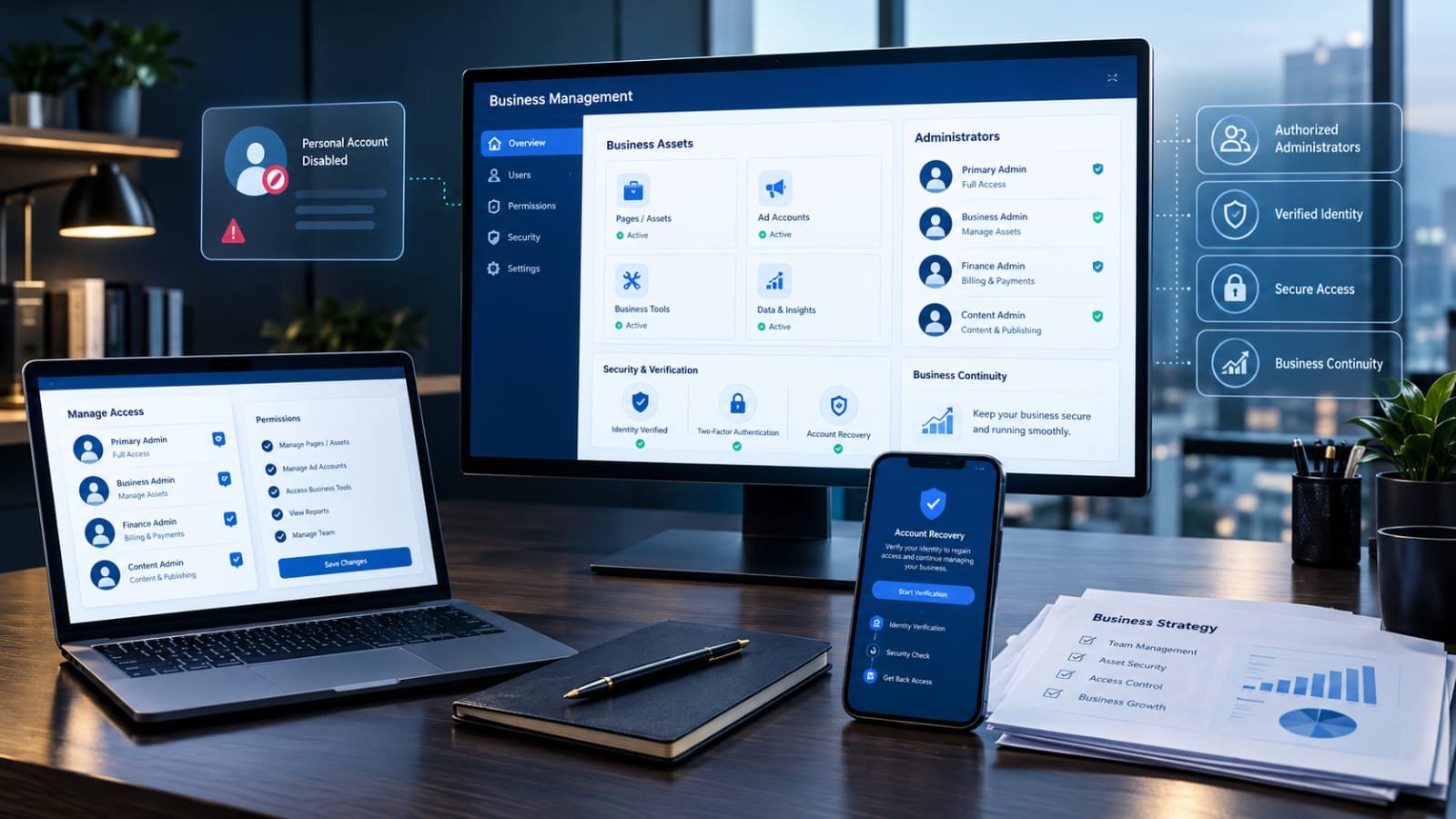
Managing a business through Meta’s advertising and social media tools requires reliable access to the correct accounts, permissions, and business assets. Whether someone operates a small online store, manages multiple Facebook Pages, runs advertising campaigns, or works with an external marketing agency, administrator access is an essential part of daily business operations. However, problems can arise when a personal Facebook account becomes disabled, business administrator permissions are restricted, or the option to add another administrator suddenly stops working.
The search for an add admin to business manager personal account disabled workaround usually begins when a business owner discovers that they cannot invite a new person, change an existing administrator’s permissions, or restore access to a Business Manager account. The situation can become especially difficult when the disabled personal profile belongs to the only person who previously had full administrative control.
Meta has gradually updated the terminology and organization of its business management platform. What many users still call Facebook Business Manager is increasingly referred to as a Meta Business Portfolio. Although the interface and menu names may change, the underlying purpose remains similar: businesses can organize their Pages, advertising accounts, Instagram accounts, people, partners, and other digital assets in one management environment.
The challenge is that business permissions and personal Facebook accounts are connected. A person generally needs an eligible, functioning account to receive and use an invitation. If an account is disabled or restricted, Meta may prevent that person from being added to a business portfolio. Similarly, an administrator whose personal account is disabled may lose the ability to manage business settings.
Understanding the difference between these restrictions is the first step toward resolving the problem. There is no universally guaranteed workaround that overrides Meta’s account restrictions. However, several legitimate recovery options may help businesses restore access, protect their assets, and continue operations without compromising account security.
This guide explains how the system works, why administrator invitations fail, which recovery methods are available, how to add a replacement administrator when permitted, and what business owners should do to prevent similar problems in the future.
What Is Meta Business Manager?
Meta Business Manager is a business management environment designed to help organizations control their presence across Facebook, Instagram, and related advertising services. Its modern business portfolio structure allows businesses to manage multiple assets and assign responsibilities to different people.
A business owner might use the platform to manage a Facebook Page, connect an Instagram professional account, control an advertising account, organize a product catalog, and collaborate with marketing professionals. Instead of sharing one personal login with several employees, the business can assign individual access permissions.
This structure is important because business assets often have considerable commercial value. A Facebook Page may represent a company’s reputation, an advertising account may contain years of campaign history, and an Instagram account may provide a major source of customer engagement.
Business management tools help separate these assets from the personal activities of individual employees. They also allow organizations to change access when a worker leaves, an agency agreement ends, or responsibilities are transferred.
Business Manager and Business Portfolio: Understanding the Difference
Meta’s terminology has changed over time. Many older tutorials use the phrase Business Manager, while newer interfaces and documentation frequently use Business Portfolio.
The two terms are closely related, but readers should pay attention to the interface they actually see. A guide written for an older version may refer to Business Settings, Business Manager, or People, while a newer interface may organize similar functions through Meta Business Suite settings.
The important concept is the same: a business portfolio contains business assets and controls who can access them.
Why Administrator Access Matters
Administrator access provides significant control over a business environment. Depending on the permission structure, a person with full control may be able to:
- Add or remove people from the business portfolio.
- Manage access to Facebook Pages.
- Assign advertising account permissions.
- Connect and manage Instagram accounts.
- Manage business settings and security.
- Add or manage business partners.
- Review and organize business assets.
- Approve certain business access requests.
Because these responsibilities are substantial, administrator permissions should be assigned carefully. Giving every employee full control can create unnecessary security risks.
For businesses researching an add admin to business manager personal account disabled workaround, understanding the administrator’s role helps identify whether the problem concerns the personal profile, the portfolio, or a particular business asset.
Biography Table: Essential Information About the Topic
The following table provides a structured overview of the subject and its technical context.
| Category | Details |
|---|---|
| Main topic | Add admin to business manager personal account disabled workaround |
| Platform | Meta Business Suite |
| Former platform terminology | Facebook Business Manager |
| Current business terminology | Meta Business Portfolio |
| Platform owner | Meta Platforms, Inc. |
| Primary purpose | Business asset and access management |
| Personal account requirement | An eligible, functioning Meta/Facebook account |
| Main administrator permission | Full control |
| Other permission type | Partial access |
| Main management section | Business Settings or People |
| Common problem | Unable to invite or add an administrator |
| Possible account issue | Disabled or restricted personal profile |
| Possible business issue | Restricted or disabled business portfolio |
| Recovery approach | Account review, identity confirmation, security checks, and support |
| Alternative access method | Authorized existing administrator or business partner |
| Security recommendation | Individual accounts and two-factor authentication |
| Suitable users | Business owners, agencies, advertisers, and social media managers |
| Main objective | Restore legitimate access and maintain business continuity |
This table summarizes the subject rather than describing one specific disabled account. The exact recovery options depend on the restriction displayed in the affected account.
What Does a Disabled Personal Account Mean?
A disabled personal Facebook account is an account that Meta has restricted from normal use. The reason may involve suspected policy violations, unusual activity, identity verification problems, compromised-account concerns, or other security and enforcement decisions.
A disabled account is different from a business portfolio restriction. The personal profile belongs to an individual, whereas a business portfolio represents an organization’s collection of digital assets and access permissions.
This distinction is important because a business portfolio may remain active even when one administrator’s personal profile becomes unavailable.
For example, imagine that a small company has one owner and two marketing employees. The owner manages the business portfolio through a personal Facebook profile. If that profile becomes disabled, the employees may still have their own accounts, but their permissions determine whether they can continue managing the business.
If one employee already has full control, that person may be able to manage access and continue certain business operations. If neither employee has the necessary permissions, the business may face a more complicated recovery situation.
Common Reasons Personal Accounts Become Disabled
Several circumstances can contribute to personal account restrictions.
Identity verification problems: Meta may request confirmation of identity when account information appears inconsistent or additional verification is required.
Unusual login activity: Repeated login attempts, unfamiliar devices, suspicious sessions, or unexpected location changes may trigger security checks.
Compromised accounts: If someone gains unauthorized access to a profile, Meta may restrict certain activities while the account is secured.
Policy enforcement: Violations of applicable platform policies may result in account restrictions or disabling.
Impersonation concerns: Accounts that appear to represent another individual or organization may receive additional scrutiny.
Automated security checks: Security systems may identify suspicious behavior incorrectly, resulting in restrictions that require further review.
Not every disabled account has the same cause. The explanation displayed by Meta should guide the recovery process.
Why You Cannot Add an Admin to Business Manager
There are several reasons why the administrator invitation process may fail. Some are related to personal account eligibility, while others involve business permissions or technical problems.
1. The Personal Account Is Disabled
This is one of the most important possibilities to investigate.
Meta’s business portfolio guidance indicates that neither the person inviting someone nor the person being invited can have a disabled or restricted account. Consequently, a disabled profile may prevent an invitation from being completed.
This explains why repeatedly attempting to add the same person may not resolve the problem.
The correct response is to address the underlying account restriction rather than repeatedly submitting invitations.
2. The Existing Administrator Does Not Have Full Control
Not every business user has permission to add administrators.
A person with partial access may be able to publish content, manage advertising campaigns, or work with assigned assets without having permission to change portfolio-level settings.
If the People section is missing or administrator-management options are unavailable, the logged-in user may not have full control.
The business should identify an existing authorized administrator before assuming that the entire portfolio is disabled.
3. The Business Portfolio Is Restricted
A business portfolio may have restrictions that affect its ability to add people or manage assets.
These restrictions can involve policy compliance, security concerns, verification requirements, or other enforcement actions.
A personal account may be functioning normally while the business portfolio itself is restricted. The two situations should not be confused.
4. The Invitation Recipient Has an Account Problem
The person receiving an invitation must also have an eligible account.
If their profile is disabled, restricted, or unable to complete a required security check, the invitation may not work.
Businesses should confirm that the recipient can access their account normally before attempting another invitation.
5. The Wrong Business Portfolio Is Selected
Companies and agencies sometimes manage multiple business portfolios. An administrator may accidentally open a different portfolio from the one containing the required Page or advertising account.
This can create confusion because the correct assets or permissions do not appear.
Before changing anything, verify the business portfolio name and the assets associated with it.
6. The Required Asset Is Not Available
A person may have portfolio-level access without automatically having the appropriate permissions for every individual asset.
For example, access to a Facebook Page does not necessarily mean the person has permission to manage a separate advertising account.
The administrator must assign the required asset permissions where available.
7. Security or Verification Requirements Are Incomplete
Meta may require additional security steps before allowing certain business actions.
These may include confirming an email address, enabling two-factor authentication, securing a compromised profile, or completing business verification.
An incomplete verification request can prevent normal administration.
8. Technical or Interface Problems
Temporary browser issues, outdated sessions, cached information, or interface changes can also cause confusing behavior.
However, a browser problem should not be assumed when the platform clearly displays a disabled-account notice.
Technical troubleshooting is most useful after confirming that both personal accounts and the business portfolio are eligible for the requested action.
Add Admin to Business Manager Personal Account Disabled Workaround: What Actually Works?
The phrase add admin to business manager personal account disabled workaround often suggests that users want a way to bypass a disabled personal profile and immediately give someone else administrator access.
It is important to understand that there is no reliable, legitimate method that guarantees administrator access while ignoring an active Meta restriction.
The available solutions depend on who is disabled, which permissions remain active, and whether another authorized administrator exists.
The following approaches focus on legitimate account recovery and business continuity.
Method 1: Recover the Disabled Personal Account First
If the only administrator’s personal profile has been disabled, restoring that account is often the most direct approach.
Start by attempting to log in to the affected Facebook account.
Read the exact notification displayed on the screen. It may indicate that the account is temporarily locked, disabled, suspended, or awaiting identity confirmation.
These terms can represent different situations, so the recovery process should follow the instructions provided for the particular account.
If Meta provides an appeal or review option, submit the requested information.
Depending on the circumstances, the platform may request:
- Confirmation of the account owner’s identity.
- A verification code sent to a registered email address.
- A verification code sent to a registered phone number.
- Additional security confirmation.
- Information needed to investigate suspected unauthorized access.
Use accurate information and ensure that submitted documents belong to the actual account owner.
Avoid creating contradictory identity details or submitting unrelated documents. Inconsistent information can make the review process more difficult.
Once access is restored, the administrator can return to the business portfolio and review its people and asset permissions.
This is usually the most appropriate path when the restriction belongs to the individual who originally controlled the business.
Method 2: Use an Existing Administrator With Full Control
A business may already have another authorized administrator who can manage its settings.
If so, this person may be able to continue essential operations without waiting for the original administrator’s account recovery.
The existing administrator should:
- Log in using their own eligible Facebook account.
- Open the correct Meta Business Portfolio.
- Navigate to Settings.
- Select People.
- Review the current list of authorized users.
- Confirm their own full-control permissions.
- Invite another eligible person if the platform allows it.
- Assign only the business assets and permissions required for the person’s responsibilities.
This method does not bypass the disabled profile. It uses permissions that were already legitimately assigned to another person.
It is particularly useful for companies that planned for administrative continuity before a problem occurred.
However, the business portfolio must be eligible to perform the requested action, and the inviting administrator must have the necessary permissions.
Method 3: Ask an Authorized Business Partner for Assistance
Some businesses work with marketing agencies, advertising consultants, or technology providers that have been granted access to specific assets.
Meta provides partner access functionality that allows businesses to share selected assets with another business portfolio.
A partner relationship is different from ordinary employee access.
For example, a company may authorize an agency to work with its advertising account or Facebook Page without transferring ownership of the company’s entire business environment.
If a business already has a legitimate partner relationship, the partner may be able to continue performing the tasks covered by its existing permissions.
However, partner access is not a universal replacement for portfolio administration. A partner cannot automatically grant itself ownership or permissions that the original business has not authorized.
This distinction is essential when evaluating an add admin to business manager personal account disabled workaround.
Method 4: Check Pending Invitations and Access Requests
Sometimes the administrator has already sent an invitation, but the recipient has not completed the acceptance process.
A business should check whether the invitation is pending before attempting to send another one.
The recipient should:
- Confirm that the invitation was sent to the correct account.
- Check the relevant email inbox.
- Review any available Meta notifications.
- Confirm that their personal account is functioning.
- Follow the acceptance instructions.
- Complete any security or verification requirements.
The administrator should also review the Requests section in business settings when the platform indicates that an approval is necessary.
A pending request should be resolved through the authorized approval process rather than duplicated repeatedly.
Method 5: Complete Business Verification When Requested
Business verification helps Meta establish information about an organization.
Depending on the account and verification process, the platform may request documentation or confirmation of business details.
Information may include the organization’s legal name, address, contact information, or other supporting documents.
The information should match the company’s genuine records.
For example, if the registered business name differs from the public-facing brand, the owner should provide documentation that explains the relationship rather than entering inconsistent details.
Business verification does not automatically restore a disabled personal profile. It addresses a different part of the platform’s trust and security process.
Nevertheless, completing a verification requirement may be necessary before certain business-management actions become available.
Method 6: Contact Meta Business Support
When account recovery and existing administrator options do not resolve the problem, the business may need assistance through Meta’s support channels.
Meta Business Support Home provides a centralized environment for reviewing account and business asset issues.
The available support options depend on the account, region, restriction, and eligibility.
Prepare the following information before contacting support:
- Business portfolio name.
- Business portfolio identification number, if available.
- Facebook Page name.
- Advertising account identification number, if relevant.
- The email associated with the affected profile.
- A description of the administrator problem.
- Screenshots of the exact error message.
- Information about any recovery or verification steps already completed.
A clear support request should explain the business impact without making unsupported claims.
For example, state that the original administrator’s personal account is disabled and that the organization needs guidance on restoring authorized access to its business portfolio.
Do not send passwords, authentication codes, or private recovery credentials to anyone claiming to provide support.
Method 7: Secure the Business Before Restoring Full Administration
When a personal profile becomes disabled because of suspected compromise, security should take priority over adding new administrators.
An unauthorized person may have accessed the account or changed business permissions.
An existing authorized administrator should review:
- Unrecognized people in the portfolio.
- Unknown business partners.
- Unexpected advertising account access.
- Unfamiliar Page administrators.
- Suspicious connected applications.
- Unexpected payment methods.
- Unrecognized campaigns or account activity.
Remove suspicious access only when the authorized administrator has sufficient permission and can establish that the access is unauthorized.
Enable two-factor authentication wherever available.
This method helps protect the organization while the affected account is being reviewed.
Step-by-Step Guide: How to Add a New Admin to Meta Business Manager
When the business portfolio is active and the person inviting the administrator has full control, adding another person is relatively straightforward.
The following process describes the modern business portfolio approach. Menu labels can vary according to the interface.
Step 1: Open Meta Business Suite
Log in using an eligible personal account that has full control of the business portfolio.
Open Meta Business Suite and select the correct business portfolio.
Do not begin the process until you have confirmed that the selected portfolio contains the business assets you want to manage.
Step 2: Open Business Settings
Navigate to Settings and locate the business settings or portfolio settings section.
The interface may display slightly different terminology depending on the account.
Step 3: Select People
Find the People section under the user-management area.
This section displays individuals who have been added to the business portfolio and their current access levels.
If you cannot see People or the invitation controls, check whether your account has full control.
Step 4: Choose Invite People
Select the option to invite a new person.
Enter the email address associated with the intended recipient’s account, following the instructions displayed by Meta.
Check the address carefully before continuing.
Step 5: Select the Appropriate Permission Level
Meta provides different access levels for business portfolio management.
Full control provides broader administrative authority, while partial access limits a person’s responsibilities.
Only assign full control when the individual genuinely needs to manage the entire business portfolio.
Step 6: Assign Business Assets
Choose the assets the person needs to manage.
These may include:
- Facebook Pages.
- Advertising accounts.
- Instagram accounts.
- Catalogs.
- Other supported business assets.
Select the permissions appropriate to the person’s responsibilities.
Step 7: Review and Send the Invitation
Check the recipient’s information and selected permissions.
Confirm that the correct business portfolio and assets have been selected.
Send the invitation through the platform.
Step 8: Ask the Recipient to Accept
The invited person must complete the acceptance process.
They should use their own account and follow the instructions provided by Meta.
Once the invitation is accepted, the administrator can review the person’s access in the People section.
The standard invitation process is not a solution for a disabled personal profile. Both the inviting account and recipient account must meet the platform’s eligibility requirements.
Understanding Full Control and Partial Access
Choosing the correct permission level is one of the most important decisions in business administration.
An organization should not treat every employee, freelancer, or agency representative as an administrator.
Full Control
Full control is the broader permission level for managing a business portfolio.
Depending on the business configuration, it may allow a person to manage people, settings, and business assets.
This level should generally be reserved for business owners, trusted senior administrators, or individuals responsible for the overall operation of the portfolio.
Partial Access
Partial access gives individuals permission to perform selected tasks without granting complete administrative authority.
For example, a social media manager may need to publish content and respond to messages but may not need permission to remove other administrators.
An advertising specialist may need campaign-management permissions without requiring complete control over the business portfolio.
Why Permission Selection Matters
Excessive permissions increase the potential impact of mistakes or unauthorized access.
If an employee leaves the company while retaining full control, the business may face an unnecessary security problem.
A carefully designed access structure reduces this risk.
For organizations researching an add admin to business manager personal account disabled workaround, permission planning also helps prevent future dependence on one administrator.
Business Manager Disabled vs. Personal Account Disabled
These situations may appear similar, but they require different troubleshooting approaches.
| Problem | What it means | Appropriate response |
|---|---|---|
| Personal account disabled | Individual profile is restricted | Follow personal account recovery instructions |
| Business portfolio restricted | Business management environment is restricted | Review Business Support Home |
| Ad account disabled | Advertising account cannot perform certain actions | Investigate the ad account restriction |
| Page restricted | A specific Facebook Page has limitations | Review the Page’s account status |
| Admin invitation failed | A user cannot be added | Check account eligibility and permissions |
| Full control unavailable | User lacks sufficient administrative authority | Contact an existing authorized administrator |
| Security verification pending | Additional confirmation is required | Complete the requested security steps |
Understanding these differences can save considerable time.
For example, appealing a disabled personal profile is not the same as appealing a restricted advertising account. Similarly, requesting access to a Facebook Page does not necessarily resolve a restriction affecting the entire business portfolio.
How Meta Business Support Home Helps
Business Support Home is an important resource for identifying and addressing business-related restrictions.
It provides information about the status of business portfolios and associated assets, including advertising accounts, Pages, catalogs, and commerce accounts.
The platform may also display actions that the business can take to address an issue.
Reviewing Account Status
Begin by opening Business Support Home while signed in to an eligible account.
Look for the account status overview and review any outstanding issues.
Select the relevant business portfolio or asset.
Read the explanation carefully and identify the actions Meta makes available.
Understanding the What You Can Do Section
The What You Can Do section is particularly important.
It may identify steps such as:
- Confirming identity.
- Completing verification.
- Securing the account.
- Reviewing a restriction.
- Requesting another review when eligible.
The available steps depend on the type of restriction and the stage of the review process.
Requesting a Review
If Meta provides a Request Review option and the user meets the eligibility requirements, follow the displayed instructions.
A review request should explain why the decision may be incorrect and provide relevant supporting information.
Avoid submitting repeated appeals with contradictory explanations.
Meta’s review process is not guaranteed to restore an account. Its decision depends on the information available and the applicable platform policies.
Monitoring the Outcome
After submitting a review, monitor the account status and any notifications.
If Meta requests additional information, respond through the official interface.
Do not assume that submitting a review automatically restores access.
How to Write an Effective Meta Support Request
A well-organized support request can make the problem easier to understand.
The message should be factual, concise, and focused on the specific access issue.
A useful structure includes four elements.
First: Identify the business.
Provide the business portfolio name and relevant identification information.
Second: Explain the restriction.
Describe whether the personal profile, business portfolio, or administrator permission is affected.
Third: Explain the business impact.
Mention whether the organization has lost the ability to manage Pages, advertising accounts, or other assets.
Fourth: Request the appropriate assistance.
Ask Meta to review the restriction or explain the authorized process for restoring business access.
A sample message is provided below.
Example Support Message
Subject: Request for Assistance With Business Portfolio Administrator Access
Hello Meta Support,
I am requesting assistance with an administrator access problem affecting our business portfolio.
The personal Facebook account previously used to manage the business portfolio is currently disabled. As a result, we are unable to complete certain administrative tasks, including managing administrator permissions.
We are the authorized representatives of this business and would like to restore access through the appropriate verification and account recovery process.
Please review the situation and advise us about the steps required to verify our ownership and restore legitimate administrative access.
We can provide relevant business documentation and additional information through the official verification process.
Thank you for your assistance.
Regards,
Authorized Business Representative
This message should be adapted to the actual situation. It should not claim business ownership or authorization that the sender cannot demonstrate.
Common Errors When Trying to Add an Administrator
Understanding common error messages can help businesses identify the correct solution instead of repeating unsuccessful attempts.
Error: You Cannot Add This Person
This message may appear when the recipient’s personal account is disabled, restricted, or otherwise ineligible.
Check the recipient’s account status first. If the account is restricted, the person should follow the recovery instructions provided by Meta.
Error: You Do Not Have Permission
This message usually indicates that the logged-in user lacks the necessary administrative authority.
Check the People section and confirm whether the account has full control of the business portfolio.
If another person is the only authorized administrator, contact that person through an established business communication channel.
Error: Business Account Restricted
This indicates that the problem may involve the business portfolio itself.
Open Business Support Home and examine the available explanation and recovery steps.
Do not assume that creating another personal account will resolve the restriction.
Error: Invitation Cannot Be Sent
This error can have several causes, including account eligibility, incomplete verification, incorrect recipient information, or a restriction affecting the portfolio.
Confirm that the email address is correct and that the recipient can use their account normally.
If the issue continues, document the error and contact the appropriate support channel.
Error: Full Control Is Unavailable
Full control may be unavailable because the current user lacks the necessary authority or because the asset is controlled by another business.
Check the portfolio-level permissions and the relationship between the business and the asset.
For example, an agency may have access to an advertising account without having ownership of the business portfolio that controls it.
Error: Security Verification Required
This message indicates that Meta needs additional confirmation before permitting an action.
Follow the security instructions displayed in the account.
Avoid repeatedly attempting the same operation before completing the requested verification.
Can You Add an Admin Without the Original Administrator?
This is one of the most common questions associated with the add admin to business manager personal account disabled workaround topic.
The answer depends on the permissions already assigned to other users.
If another person has full control, that person may be able to invite a new administrator, provided the portfolio and the recipient meet the platform’s requirements.
If another person only has partial access, they generally cannot independently grant themselves full control.
A business partner may continue managing assets that were legitimately shared with it, but partner permissions do not automatically transfer ownership or administrative authority.
If the disabled person was the only full-control administrator, the business may need to recover that person’s account or seek assistance through Meta’s official business support and verification processes.
This is a significant distinction because administrator permissions are designed to prevent unauthorized changes to valuable business assets.
A person who can publish content on a Page is not necessarily authorized to change its ownership or control the entire business portfolio.
What If the Original Owner Cannot Recover the Account?
The business should gather evidence of its legitimate ownership and its relationship with the affected assets.
Relevant records may include:
- Business registration documents.
- Official company contact information.
- Proof of domain ownership.
- Advertising account identification details.
- Documentation connecting the business to its Facebook Page.
- Records of authorized business representatives.
- Previous support case references.
Submit only documents requested through legitimate Meta verification channels.
The purpose is to establish the organization’s right to manage its assets, not to create an alternative identity or bypass account enforcement.
If the platform does not provide an immediate recovery option, the organization should preserve its records and continue using the available support process.
Can You Use Another Personal Facebook Account?
Using another genuine personal account belonging to an already authorized business representative may be appropriate when that person has independently been granted access.
However, creating a new or fabricated personal profile simply to evade a disabled account is not a dependable recovery strategy.
Meta may require identity verification, review account relationships, or apply restrictions to accounts associated with suspicious activity.
Businesses should also avoid sharing login credentials between employees.
Each person should use their own eligible account, and access should be assigned according to their actual responsibilities.
A company can maintain administrative continuity by having more than one legitimate, trusted administrator with full control, subject to Meta’s requirements.
The important distinction is between adding a legitimate administrator through an authorized process and creating an account to circumvent a restriction.
Why Creating a New Business Manager Is Not Always a Solution
Some online discussions suggest creating another Business Manager whenever the original business portfolio becomes inaccessible.
This advice can be misleading.
A new portfolio does not automatically restore ownership of assets held in the restricted portfolio. It also does not reinstate a disabled personal profile or remove an enforcement decision.
Creating additional business environments to avoid an existing restriction may introduce further complications.
For example:
- The original Facebook Page may remain associated with the previous portfolio.
- An advertising account may not be transferable.
- Existing partner permissions may not carry over.
- Business verification may need to be completed again.
- The new portfolio may not have access to historical advertising information.
- Attempting to evade an enforcement action may create additional policy concerns.
A new business portfolio may be appropriate for a genuinely separate business operation, but it should not be treated as an automatic recovery mechanism.
Before creating another portfolio, identify the exact asset that is restricted and determine whether Meta provides an authorized way to restore access.
Understanding Facebook Page Ownership and Business Asset Access
One reason administrator problems become complicated is that people sometimes confuse Page access with business portfolio access.
A Facebook Page can have its own assigned people and permissions, while a business portfolio can manage the wider relationship between the Page and other business assets.
These permission structures are connected, but they are not identical.
Page-Level Access
Page-level access concerns the actions a person can perform on a particular Facebook Page.
Depending on the assigned permissions, a person may be able to publish posts, respond to messages, manage content, or perform other Page-related tasks.
Portfolio-Level Access
Portfolio-level access concerns the broader business environment.
A person with full control may be able to manage people, settings, and multiple business assets.
Why the Difference Matters
Imagine a business that owns three Facebook Pages and two advertising accounts.
An employee may have permission to publish content on one Page but no authority over the remaining assets.
If the main administrator’s profile becomes disabled, the employee’s existing Page access does not automatically become full portfolio control.
This is why the add admin to business manager personal account disabled workaround issue should always be examined at both levels.
The Role of Business Partners and Marketing Agencies
Business partners can be particularly important when a company depends on external marketing support.
An agency may need access to an advertising account, a Facebook Page, or an Instagram professional account.
Meta’s partner functionality allows businesses to share selected assets with another business portfolio, subject to the permissions available to the asset owner.
This arrangement can improve security because an organization does not need to share personal login details with an external service provider.
When Partner Access Is Useful
Partner access may help when:
- A business hires a marketing agency.
- An advertising consultant manages campaigns.
- An external team manages social media content.
- A technology provider needs access to selected business assets.
- An organization works with multiple service providers.
What Partner Access Cannot Guarantee
Partner access does not automatically solve a disabled personal profile.
It also does not give an agency unlimited authority over a business’s entire portfolio.
The business should define which assets the partner can access and which actions it is authorized to perform.
A responsible organization should retain control of its ownership records and maintain a clear understanding of all active partner relationships.
Security Practices That Prevent Future Administrator Problems
Many business access problems become more serious because organizations rely on one individual to control every important asset.
A better approach is to create a documented administrative structure.
Maintain More Than One Trusted Administrator
Where permitted, maintain more than one legitimate, trusted person with full control.
This reduces the risk that one disabled profile or unavailable employee will interrupt the entire business.
Additional administrators should be selected carefully because full control carries substantial authority.
Enable Two-Factor Authentication
Two-factor authentication adds another layer of protection to account access.
It makes it more difficult for someone to gain control of an account using only a password.
Administrators should use a secure authentication method and maintain access to their recovery options.
Use Individual Accounts
Never make several employees depend on one shared Facebook login.
Individual accounts make it easier to identify who performed an action and to update permissions when responsibilities change.
Review Access Regularly
Businesses should periodically examine their People and Partners sections.
Remove former employees and service providers when their authorization ends.
Review permissions for unfamiliar individuals and investigate unexpected changes.
Document Business Ownership
Keep an internal record of the business portfolio identification number, asset identification numbers, authorized administrators, and relevant business documentation.
Store these records securely.
They may become valuable when an account recovery or ownership verification request is necessary.
Monitor Account Notifications
Administrators should pay attention to security alerts, verification requests, and account-status notifications.
Ignoring an important request may delay the resolution of an access problem.
Establish an Employee Departure Process
When an employee leaves, the business should review their access to the portfolio, Pages, advertising accounts, and connected assets.
This process should be part of normal employee offboarding rather than an emergency response.
How Agencies Should Handle a Client’s Disabled Administrator Account
Marketing agencies frequently encounter situations in which a client loses access to a business portfolio.
The agency may still have permission to manage certain assets, but it should not assume that it has authority to take over the client’s business.
A professional agency should begin by confirming its existing permissions.
It should identify which assets remain accessible and whether the client has another authorized administrator.
If the agency has legitimate partner access, it may continue working within the boundaries of that access.
If the client has no available administrator, the agency should help the business owner organize documentation and contact Meta through the appropriate support channels.
The agency should not request the client’s personal password or authentication codes.
Nor should it promise that a particular workaround will guarantee the restoration of administrator access.
Creating a Client Access Policy
Agencies can reduce future disruption by establishing an access policy before starting a project.
The policy should identify:
- The client as the owner of its business assets.
- The individuals responsible for portfolio administration.
- The agency’s approved partner permissions.
- The process for adding or removing employees.
- The security requirements for everyone with access.
- The steps to follow if an administrator becomes unavailable.
This arrangement protects both parties and makes business relationships more transparent.
The Difference Between a Workaround and a Recovery Process
The word workaround is commonly used when people encounter a technical restriction and want an alternative way to complete an action.
However, not every workaround is safe or appropriate.
A legitimate workaround uses existing permissions, authorized business relationships, or approved support procedures to keep a business operating.
For example, asking an existing full-control administrator to manage an invitation is a legitimate continuity measure.
Recovering a disabled profile through the official review process is another appropriate method.
By contrast, using fake identities, purchasing administrator access from strangers, or attempting to evade an enforcement decision creates additional risks.
A recovery process addresses the underlying problem. An unsafe workaround merely attempts to avoid it.
For business owners, this distinction is central to the add admin to business manager personal account disabled workaround topic.
The objective should be to restore secure and authorized access, not simply to make an invitation button work temporarily.
Warning Signs of Fake Meta Recovery Services
When a business loses access to valuable advertising assets, it may become vulnerable to people offering paid recovery services.
Some claim to have private contacts, special administrator tools, or guaranteed access-restoration methods.
These offers should be approached with considerable caution.
Common warning signs include:
- Requests for Facebook passwords.
- Requests for SMS verification codes.
- Demands for remote access to a personal computer.
- Claims that recovery is guaranteed.
- Requests for cryptocurrency payments.
- Offers to sell administrator access.
- Unsolicited messages claiming to be official Meta support.
- Requests to transfer business ownership to an unknown person.
An unauthorized person who gains access to an administrator account may change permissions, remove legitimate users, or compromise valuable business assets.
Businesses should verify support communications through Meta’s own business support environment.
Never share login credentials or authentication codes with a recovery agent.
A Practical Troubleshooting Checklist
Before submitting another invitation or contacting support, review the following points.
- Confirm which personal account is disabled.
- Determine whether the business portfolio is also restricted.
- Check whether another administrator has full control.
- Verify that the intended recipient’s account is eligible.
- Confirm that the correct business portfolio is selected.
- Review existing invitations and pending requests.
- Check whether email or identity verification is required.
- Review the business portfolio’s People and Partners sections.
- Examine the relevant asset permissions.
- Open Business Support Home and inspect outstanding issues.
- Save screenshots of relevant error messages.
- Prepare genuine business ownership documentation if requested.
- Enable additional security protections where possible.
- Contact official support when self-service recovery is unavailable.
This checklist helps businesses approach the problem systematically instead of repeating actions that are unlikely to succeed.
The Future of Business Access Management
Business access management continues to evolve as organizations use more connected digital services.
Companies increasingly depend on social platforms for customer communication, advertising, sales, and brand development. As a result, administrator permissions are becoming an important part of business continuity planning.
Modern portfolio structures offer a more organized approach to assigning responsibilities, but they also require users to understand the difference between personal accounts, business ownership, asset permissions, and partner access.
The shift from older Business Manager terminology to the newer business portfolio environment also highlights the importance of using current instructions.
Older tutorials may describe menu options that have changed or no longer appear in the same location.
For businesses, the best long-term strategy is not to rely on a collection of emergency workarounds. It is to maintain a secure portfolio, assign appropriate administrative permissions, keep ownership information accessible, and establish recovery procedures before a problem occurs.
The add admin to business manager personal account disabled workaround search topic reflects a real operational challenge: digital businesses need continuity even when an individual account becomes unavailable.
A reliable access structure helps organizations protect their Pages, advertising accounts, customer relationships, and accumulated business information.
Frequently Asked Questions (FAQs)
1. How can I add an admin to Business Manager if my personal account is disabled?
If your personal Facebook account is disabled, you generally cannot use it to complete normal business administration. First, follow Meta’s account recovery or review process. If another authorized person already has full control of the business portfolio, that person may be able to invite an eligible administrator.
2. Is there a working add admin to business manager personal account disabled workaround?
There is no guaranteed method that bypasses an active Meta restriction. Legitimate alternatives include recovering the disabled account, using an existing full-control administrator, continuing through authorized partner access, and contacting Meta Business Support.
3. Can another administrator add someone if the original owner is disabled?
Yes, potentially. If another person already has full control of the portfolio, they may be able to invite an eligible person and assign appropriate permissions. The business portfolio must also be eligible to perform the action.
4. Can I add an admin without Facebook access?
You generally need an eligible account with the required business permissions to manage people in a Meta business portfolio. If you cannot access the original account, use an existing authorized administrator or the official recovery process.
5. Why does Meta say I cannot add this person?
The recipient may have a disabled or restricted personal account, or another eligibility requirement may be incomplete. Check their account status and any verification requests before trying again.
6. What is the difference between Business Manager and Business Portfolio?
Business Manager is the older, widely recognized terminology. Meta increasingly uses Business Portfolio for the environment in which organizations manage business assets, people, permissions, and partners.
7. Can I use a new Facebook account to replace a disabled administrator?
A genuine, eligible account belonging to an authorized business representative may receive access through the appropriate process. Creating a fabricated profile or using a new account to evade an enforcement action is not a reliable or recommended recovery method.
8. Can an agency add an admin to my Business Manager?
An agency may manage assets or invite people only within the authority granted to it. Having partner access does not automatically give an agency full control of the client’s business portfolio.
9. How do I check whether my Business Manager is disabled?
Open Meta Business Support Home and review the account status overview. Select the relevant business portfolio and examine outstanding issues and the available actions.
10. Can I recover a disabled Facebook personal account?
Depending on the restriction, Meta may provide an account review, identity confirmation, security check, or another recovery procedure. Follow the instructions displayed when attempting to access the affected account.
11. What if I am the only administrator of my business portfolio?
If your personal profile is disabled and no other person has full control, account recovery and official business support are particularly important. Gather genuine business ownership documentation and follow the available verification process.
12. Does business verification restore a disabled personal account?
Not automatically. Business verification and personal account recovery are different procedures. Verification may help establish information about an organization, but it does not guarantee restoration of an individual’s disabled profile.
13. Can I transfer my Facebook Page to another Business Manager?
Asset ownership and transfer eligibility depend on the Page’s current business relationships, permissions, and applicable platform requirements. A transfer should not be used to evade an existing restriction.
14. How long does Meta take to review an account?
Review times vary according to the restriction and the type of review. Meta may provide an estimated timeframe in the relevant support interface. Do not assume that every personal account or business portfolio review will be completed within the same period.
15. Is it safe to pay someone to recover my Business Manager?
Be cautious. Avoid anyone who requests your password, authentication codes, remote access, or business ownership. Use official recovery and support procedures and never rely on guaranteed recovery promises from strangers.
16. Why can I manage my Facebook Page but not add a business administrator?
Page-level permissions and business portfolio permissions are different. You may have authority to manage content on a Page without having full control over the business portfolio.
17. Can two people have full control of one business portfolio?
A business can assign full control to multiple eligible and trusted individuals when its configuration permits it. Maintaining more than one authorized administrator can reduce the risk of losing access when one person’s account becomes unavailable.
18. What should I do if Meta does not show a Request Review button?
The available recovery actions depend on the account’s restriction and review status. Check whether Meta has requested identity or security verification, review Business Support Home, and use the support options available to your account.
19. Can a disabled advertising account affect administrator access?
An advertising account restriction and a personal profile restriction are different issues. However, business-level security or enforcement problems may affect other administrative functions. Check the exact account identified in the restriction notice.
20. What is the safest way to prevent future Business Manager access problems?
Maintain multiple trusted administrators where permitted, enable two-factor authentication, use individual accounts, review partner permissions regularly, document business ownership, and establish a clear recovery procedure.
