
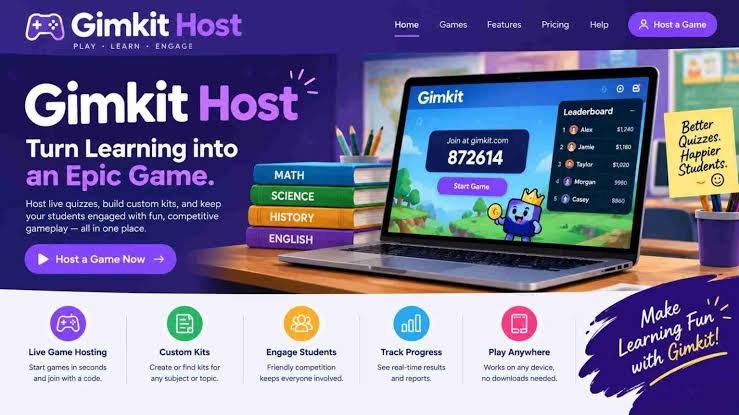
Gimkit Host is a popular feature associated with Gimkit, an interactive learning platform that allows teachers to turn classroom lessons into engaging games. Instead of relying entirely on traditional quizzes, teachers can use Gimkit to create activities where students answer questions, earn virtual money, unlock upgrades, and compete with classmates. This approach makes learning feel more like a game while still focusing on educational goals.
The platform is especially useful for teachers who want to increase classroom participation. Some students hesitate to answer questions during ordinary lessons, but a game-based environment can encourage them to participate more confidently. When students know they can earn points or improve their position by answering questions correctly, they may become more interested in reviewing the material.
The term Gimkit Host generally refers to the person who starts and manages a game session. In most classroom situations, the host is the teacher or educator who chooses a game mode, selects a question set, adjusts the available settings, and shares the joining information with students. Students then participate using their own devices.
Whether you are a teacher exploring digital learning tools, a student trying to understand how classroom games work, or a parent interested in educational technology, understanding Gimkit Host can help you see how interactive learning works. This guide explains the platform, its main features, hosting process, benefits, classroom applications, and practical tips for getting better results.
What Is Gimkit Host?
Gimkit Host is the hosting side of a Gimkit game session. It gives the person organizing the activity control over how the session begins and how participants join. The host typically selects the content, chooses an available game mode, and starts the session when the class is ready.
Unlike a simple online quiz that only displays questions and scores, Gimkit combines question answering with game mechanics. Depending on the selected mode, students may earn virtual currency, purchase upgrades, complete objectives, or work toward individual and team goals. These features can make repeated practice more enjoyable.
The platform was designed around the idea that students can learn through active participation. Rather than simply reading information or watching a presentation, learners interact with questions and receive feedback as they play. Teachers can use this process to identify concepts that students understand and areas that require additional explanation.
It is important to understand that Gimkit Host is not necessarily a separate application. Hosting generally takes place through the Gimkit website, where an educator accesses the available tools and starts a session. The exact interface, features, and settings may change over time, so users should follow the options displayed in their current account.
How Does Gimkit Host Work?
The hosting process begins when a teacher prepares a game for a particular lesson. The teacher may create a question set from scratch, select an existing set, or use other available content options. Questions can cover many subjects, including mathematics, science, history, geography, languages, and general knowledge.
After choosing the content, the host selects an available game mode and reviews the settings. Some modes emphasize individual competition, while others focus on teamwork or shared objectives. The best choice depends on the age of the students, the subject being taught, and the purpose of the activity.
Once the game is ready, the host starts the session and provides students with the joining information shown on the screen. Depending on the current interface, this may include a game code or another joining method. Students follow the displayed instructions to enter the session, and the teacher can begin when everyone is ready.
During gameplay, students answer questions on their devices while the host manages the overall activity. The teacher may monitor participation, review the class’s progress, and explain difficult concepts when appropriate. After the session ends, the teacher can use the experience to discuss mistakes, reinforce important ideas, or plan additional practice.
Step One: Open the Gimkit Website
Begin by opening a web browser on your computer, laptop, or another supported device. Visit the official Gimkit website at gimkit.com. Using the official website helps you access the platform’s genuine tools and reduces the risk of visiting unofficial pages that imitate its appearance.
If you already have an account, sign in using the appropriate login method. Teachers who are new to the platform may need to create an account before accessing hosting features. Available account options and access requirements can change, so check the current registration information if you are unsure which option to choose.
After signing in, take a moment to explore the dashboard. Look for your existing question sets, available game options, and the controls used to create or start a session. Becoming familiar with the interface before class begins can save time and help you avoid unnecessary interruptions.
Step Two: Select a Question Set
The next step is choosing the questions students will answer. A question set usually contains prompts and their corresponding answers. The quality of this material has a direct effect on the educational value of the game, so it is worth reviewing the content carefully before starting.
If you have already created a set for your lesson, locate it in your available content and open it. If you are preparing a new activity, use the creation options provided by the platform. Write questions that match your learning objectives and use clear wording that students can understand without guessing what the question means.
Before proceeding, check the answers for accuracy and make sure the questions match the students’ current level. For example, a vocabulary review should focus on the words students have studied, while a mathematics activity should use problems appropriate for their grade. Avoid adding questions simply to make the set longer if they do not support the lesson.
Step Three: Choose a Game Mode
After selecting the question set, choose a game mode from the options currently available to your account. Gimkit has offered different experiences over time, including modes built around individual competition, cooperation, and special game objectives.
For a quick review, a competitive mode may encourage students to answer more questions. For a class that needs to develop teamwork, a collaborative format may be more suitable. Some activities work best when students focus on personal improvement instead of comparing their scores with everyone else.
Read the instructions for the selected mode before starting. Different modes can have different objectives, controls, and rules. Understanding these details will help you explain the activity to students and prevent confusion once the game begins.
Step Four: Review the Game Settings
The available settings help the host adjust the experience to fit the class. Depending on the mode and current platform features, settings may relate to the duration of the game, participation, or other gameplay details.
Choose a session length that allows students to engage with the questions without taking too much time away from the rest of the lesson. A short session may be sufficient for a warm-up, while a longer activity may be useful for reviewing an entire unit.
Also consider the classroom environment. If students are unfamiliar with Gimkit, begin with a simple setup and explain the basic rules before adding complexity. Once everyone understands how the activity works, you can experiment with other settings to find the most effective approach.
Step Five: Start the Game and Share the Joining Information
When the content and settings are ready, start the game using the host controls. The platform should display the information students need to join the session. Follow the on-screen instructions rather than relying on outdated tutorials that may describe an older interface.
Ask students to open the joining page or follow the method displayed by the host. They may need to enter a game code or complete another identification step, depending on the current joining process. Make sure they are joining the correct session before you begin.
Once students have entered, confirm that the class is ready. Explain the goal of the game, remind everyone to answer independently when required, and clarify any rules that might affect participation. A short introduction can prevent many problems and make the session more enjoyable.
Step Six: Monitor Participation and End the Session
During gameplay, pay attention to more than the leaderboard. Notice whether students are answering questions, whether certain topics are causing difficulty, and whether everyone has a reasonable opportunity to participate.
If the class becomes confused about a question or rule, pause to clarify the issue when the platform and lesson structure allow it. The purpose of the activity is to support learning, not simply to see who can earn the highest score. A brief explanation may be more valuable than allowing a misunderstanding to continue.
At the end, use the results as a starting point for discussion. Review challenging questions, ask students to explain their reasoning, and identify concepts that need further practice. This final step turns the game from a temporary classroom activity into a meaningful part of the learning process.
Important Features of Gimkit Host
Interactive Question-Based Learning
One of the central features of Gimkit is its question-based learning format. Students must respond to prompts connected to a selected question set, allowing teachers to combine content review with an interactive activity.
This structure can work with many subjects. A science teacher might use questions about ecosystems, a history teacher might review important events, and an English teacher might practice vocabulary or grammar. The same basic approach can support different educational goals without requiring a completely different activity for every subject.
Question quality remains essential. If the questions are unclear, inaccurate, or unrelated to the lesson, the game may create confusion instead of improving understanding. Teachers should review their materials and ensure that students receive useful feedback from the experience.
Live Game Hosting
Live hosting allows a teacher to bring students into the same activity. Instead of asking everyone to complete a worksheet independently, the teacher organizes a shared session where students participate according to the selected rules.
This shared experience can create energy in the classroom. Students often enjoy knowing that their classmates are working on the same challenge, and the teacher can use that enthusiasm to encourage attention and participation.
However, live competition should be managed thoughtfully. Some students enjoy public rankings, while others feel uncomfortable when their performance is visible. Teachers can choose suitable modes, emphasize personal improvement, and remind students that the goal is learning rather than proving who is the smartest person in the room.
Game Modes and Different Objectives
Gimkit has offered multiple game modes that give classroom activities different styles. Some are centered on earning rewards through correct answers, while others introduce team-based goals or additional challenges.
The availability of individual modes may change, so it is best to review the options in the current account. A mode that appears in an old video may have been updated, renamed, limited, or removed. The instructions displayed when selecting a mode are generally the most reliable starting point.
Having different types of gameplay makes the platform flexible. Teachers can select a format that supports the lesson rather than forcing every class to follow the same activity. This variety can also make recurring review sessions feel less repetitive.
Scores, Rewards, and Progress
Many Gimkit experiences use points, virtual currency, upgrades, or similar reward systems. These mechanics give students immediate goals as they answer questions and progress through the game.
Rewards can encourage students to keep practicing, particularly when the questions are appropriately challenging. A learner who answers correctly may feel motivated to continue, while an incorrect response can highlight a concept that needs another look.
Nevertheless, a high game score is not a perfect measurement of academic understanding. A student may perform well because they understand the content, have learned the game mechanics, or are simply comfortable with the format. Teachers should consider question accuracy, explanations, and other classroom evidence before drawing conclusions about learning.
Classroom-Friendly Organization
Hosting tools can help teachers organize a lesson without managing a separate activity for every student. Once a session is prepared, the class can participate using compatible devices and the joining method shown on the screen.
This can be useful for both in-person and some remote learning situations, provided students have suitable internet access and the required devices. The teacher can introduce the game, explain the learning goal, and then guide the discussion after the activity.
Good organization still matters. Preparing the question set in advance, checking the joining process, and having a backup activity can make a significant difference. Technology is most useful when it supports a well-planned lesson rather than becoming the lesson itself.
Why Teachers Use Gimkit Host
Teachers often look for ways to make revision more engaging without losing sight of academic objectives. Gimkit offers a format that combines questions with game mechanics, making it possible to review information while students actively participate.
Another benefit is the flexibility of the platform. Teachers can use it for short warm-ups, end-of-unit reviews, vocabulary practice, or informal checks of student understanding. Because the same general hosting process can support different question sets, it can be adapted to many subjects.
Gimkit can also provide a change of pace during a demanding school day. Students who have spent a long time reading or completing written exercises may welcome a different type of activity. A carefully planned game can refresh attention and create opportunities for students to engage with material they have already studied.
The platform is most effective when teachers connect the activity to a clear purpose. Rather than using a game simply because it is entertaining, educators should decide what students should learn or review and then choose questions that support that goal.
Benefits of Gimkit Host for Students
Makes Revision More Engaging
Reviewing the same information repeatedly can feel boring, especially when students have limited opportunities to interact with the material. A game-based format adds an element of challenge and variety, which may make revision more appealing.
When students answer questions, they actively retrieve information instead of only rereading notes. Retrieval practice can support learning by requiring learners to recall information, although its effectiveness depends on the questions, feedback, and opportunities for later review.
Gimkit can make this practice feel less like a traditional test. Students can participate in an activity that has a clear goal and immediate feedback, helping them recognize which topics they know and which ones deserve more attention.
Encourages Active Participation
In a traditional classroom discussion, the same few students may answer most questions. A digital game can give more learners an opportunity to respond, especially when everyone participates from their own device.
This does not mean every student will automatically become engaged. Some may lack confidence, struggle with the subject, or experience technical problems. Teachers should observe participation and offer support when necessary.
When used thoughtfully, Gimkit can provide another way for students to demonstrate what they know. It can complement discussions, written exercises, presentations, and individual assessments rather than replacing them.
Provides Immediate Practice
Students benefit from opportunities to practice information shortly after learning it. Question-based games can help reinforce important terms, facts, concepts, and problem-solving steps.
For example, a student studying fractions may answer several questions about equivalent values. Repeated practice can help reveal misunderstandings, especially if the teacher reviews incorrect answers and explains the reasoning behind the correct ones.
Immediate practice is most useful when students have another opportunity to revisit difficult material. Teachers can use the results of a session to create a follow-up lesson or assign a short review activity that targets the concepts students found challenging.
Can Support Collaboration
Depending on the selected mode, Gimkit can offer experiences that encourage students to work toward shared objectives. Team-based activities can create opportunities to discuss strategies, communicate clearly, and support classmates.
Collaboration works best when each student has a meaningful role. Teachers can encourage students to explain their reasoning, share knowledge, and discuss difficult concepts rather than allowing one confident learner to make every decision.
These activities can also demonstrate that learning is not always an individual competition. Students can practice working together while reinforcing the academic content that forms the foundation of the game.
How to Use Gimkit Host for Different School Subjects
Mathematics
Mathematics teachers can use Gimkit to review multiplication, division, fractions, decimals, percentages, equations, and other topics. Questions can focus on calculation, terminology, number relationships, or identifying the correct solution to a problem.
For younger learners, the game can provide short practice sessions that reinforce basic arithmetic. Older students may benefit from questions about algebraic rules, geometry, statistics, or mathematical vocabulary.
Teachers should make sure the activity rewards understanding rather than speed alone. For more difficult problems, students may need enough time to calculate an answer carefully. After the session, reviewing the steps behind challenging questions helps learners understand why an answer is correct.
Science
Science teachers can prepare questions about biology, chemistry, physics, environmental science, and other subjects. A game might cover cell structures, energy, the water cycle, chemical reactions, or the characteristics of different ecosystems.
The format can be useful for reviewing vocabulary before an examination or checking whether students remember important concepts from a previous lesson. It can also help teachers identify topics that require further explanation.
Science education involves more than remembering facts, however. Teachers should combine game questions with experiments, observations, practical activities, and discussions that help students understand how scientific ideas work in real situations.
English and Language Learning
Language teachers can use Gimkit to practice vocabulary, spelling, grammar, punctuation, sentence structure, and reading-related concepts. A well-designed question set can reinforce words and rules students have recently encountered.
For example, an English class might review verb tenses or distinguish between commonly confused words. Students learning another language could practice translations, basic expressions, or vocabulary associated with everyday situations.
Games can support recall, but language development also requires reading, listening, writing, and speaking. Teachers should treat Gimkit as one component of a broader learning plan that allows students to use new language skills in context.
History and Geography
History teachers can create questions about significant events, historical figures, timelines, and important developments. Geography activities might cover countries, capitals, landforms, climate, or physical features of the world.
These subjects contain many details that students need to remember, so structured review can be helpful. A question-based game provides an opportunity to revisit information and discover which facts students may have forgotten.
To encourage deeper thinking, teachers can follow the game with questions about causes, consequences, comparisons, and connections. Remembering a historical date is useful, but understanding why an event happened and how it affected people is often more important.
Gimkit Host Tips for a Better Classroom Experience
The quality of a hosted game depends on preparation, clear instructions, and a good match between the activity and the lesson. A few practical habits can make the experience smoother for both teachers and students.
First, prepare the question set before the class begins. Check the wording, correct answers, difficulty level, and relationship between the questions and the learning objectives. If possible, test the activity yourself so you understand how it works from the participant’s perspective.
Second, explain the rules in simple language. Students should know what they are trying to achieve, how to join, how to answer questions, and what behavior is expected. A brief explanation at the beginning can prevent repeated interruptions during gameplay.
Third, choose an appropriate duration. A short activity can work well as a warm-up, while a more substantial review may need additional time. Avoid extending the game simply because students are enjoying it. The activity should fit within the overall lesson plan.
Finally, finish with reflection. Ask students which questions they found difficult, which concepts became clearer, and what they would like to review again. This helps connect the game to meaningful learning rather than treating the final score as the only outcome.
Common Gimkit Host Problems and How to Fix Them
Students Cannot Join the Game
One common problem occurs when students cannot enter a hosted session. This may happen because the joining information was entered incorrectly, the session is no longer active, or the student is using an outdated page.
The first step is to check the information displayed by the host. Confirm that the game is running and that students are following the current joining instructions. If the platform provides a code, make sure they have entered it correctly.
If the problem continues, ask the affected students to refresh the relevant page or try another supported browser. The teacher should avoid sharing private account information and should use only the official website for troubleshooting.
The Game Is Loading Slowly
Slow loading may result from a weak internet connection, a busy network, browser issues, or device limitations. If several students experience the same problem, the classroom network or the platform itself may be contributing to the issue.
Try checking whether other websites load normally. If the internet connection is unstable, moving closer to the wireless access point or using a more reliable connection may help. Closing unnecessary browser tabs can also reduce resource use on older devices.
When the problem cannot be resolved quickly, do not allow troubleshooting to consume the entire lesson. Have a short alternative ready, such as a paper quiz or a teacher-led review, and return to the game when the technical situation improves.
Students Are Confused About the Rules
Students may become confused when a game mode introduces unfamiliar objectives or mechanics. This can happen even when the question content is easy because learners are concentrating on understanding how the activity works.
Before starting, explain the most important rules and demonstrate the basic process when possible. For the first session, choose a mode with straightforward objectives rather than introducing several new mechanics at once.
After students gain experience, you can explore other modes and more complex activities. A gradual introduction helps students focus on the learning material instead of feeling overwhelmed by the game.
The Questions Are Too Difficult
If students repeatedly struggle to answer questions, the problem may be related to the difficulty level, unclear wording, or content they have not studied sufficiently.
Review the question set and compare it with the material covered in class. Simplify confusing prompts, correct inaccurate answers, and divide complicated concepts into smaller steps. A mixture of easy, moderate, and challenging questions can provide a more balanced experience.
The goal is not to make every question easy. Students should still encounter meaningful challenges, but they need a reasonable opportunity to understand the material and learn from mistakes.
The Leaderboard Discourages Some Students
Public rankings can motivate certain learners while making others feel embarrassed or less capable. This is especially important in classes where students have different levels of confidence, reading speed, or prior knowledge.
Teachers can address this by emphasizing effort, progress, and understanding rather than treating the highest score as the only sign of success. Depending on the available settings, a less competitive format may be more appropriate for some groups.
It is also helpful to celebrate different achievements, such as improved accuracy, thoughtful explanations, and teamwork. A positive classroom environment makes educational games more inclusive and keeps the focus on learning.
Gimkit Host for Remote and Hybrid Learning
Gimkit may also be useful when students are learning outside a traditional classroom. In remote lessons, a teacher can organize a live activity and share the joining instructions through the class’s normal communication channel.
Before the session, confirm that students know which website to open and how to participate. It can be helpful to send the instructions in advance so learners do not need to search for them while the lesson is underway.
Remote activities require extra attention to connectivity and access. Some students may have slower internet connections, older devices, or limited opportunities to use a camera and microphone. Teachers should avoid assuming that every learner has identical technology available.
For hybrid classes, the teacher should ensure that students in the physical classroom and those joining remotely receive equivalent instructions and opportunities to participate. The game should bring learners together rather than create an unnecessary difference between the two groups.
Is Gimkit Host Free to Use?
Gimkit has offered free access options alongside paid plans, but the exact features available to each account can change. Access may depend on the current subscription, the type of account, and the particular tools a teacher wants to use.
The best way to confirm current availability is to visit the official Gimkit website and review its account and pricing information. This is especially important if you need a particular game mode, advanced feature, or hosting option for regular classroom use.
Teachers should also consider their actual needs before paying for a subscription. If the available free features are sufficient for occasional review sessions, there may be no reason to upgrade immediately. If a school intends to use the platform extensively, it may be worth comparing the available plans and checking the applicable terms.
Avoid websites that promise unauthorized access to paid features or ask for account credentials to unlock hosting tools. Official access options are safer and provide a more reliable way to use the service.
Is Gimkit Host Safe for Students?
Online educational platforms require sensible privacy and security practices, particularly when children are involved. Teachers and parents should understand what information an account requires, how students join sessions, and what settings are available for managing participation.
Use the official website and follow the platform’s current privacy guidance. Avoid asking students to share unnecessary personal information, and do not post classroom joining codes publicly when the session is intended for a specific group.
Teachers should also follow their school’s policies for educational technology. These may include rules about student accounts, parental consent, approved services, and the handling of student information.
Safety also includes the social environment. Explain expectations for respectful participation and discourage students from using game sessions to embarrass classmates or disrupt learning. A well-managed activity should be both educational and comfortable for the people taking part.
Gimkit Host Compared With Traditional Classroom Quizzes
Traditional quizzes remain useful because they can measure individual understanding, provide written evidence of learning, and allow students to work at a deliberate pace. They can also be easier to organize when devices or internet access are unavailable.
Gimkit adds a different experience by combining question answering with game mechanics. Students may receive immediate feedback and participate in a shared activity that encourages engagement. This can make it useful for revision, informal assessment, and classroom warm-ups.
Neither approach is automatically better in every situation. A game may be excellent for reviewing vocabulary but less suitable for assessing a student’s ability to write a detailed essay or solve a complex problem with a full explanation.
The strongest teaching strategies use different methods for different purposes. Teachers can combine Gimkit sessions with written assignments, classroom discussion, practical work, and formal assessments to gain a broader understanding of student progress.
Best Practices for Creating Effective Gimkit Question Sets
A strong question set begins with a clear learning objective. Before writing questions, decide what students should remember, understand, or be able to do by the end of the activity. This helps ensure that every question contributes to the lesson.
Use clear and direct wording. Avoid unnecessary complexity, ambiguous phrases, and questions that depend on guessing what the teacher intended. When a question has multiple possible interpretations, revise it so the correct answer is unambiguous.
Include a balanced range of difficulty. Basic questions help students build confidence, while more challenging prompts test deeper understanding. If every question is extremely easy, students may not learn much. If every question is too difficult, they may become frustrated and disengage.
Finally, check every answer before publishing the set. Incorrect answer keys can confuse students and undermine trust in the activity. Reviewing the material for spelling, grammar, factual accuracy, and relevance is a simple but important part of preparation.
How to Measure Learning After a Gimkit Session
The end of a game provides an opportunity to evaluate whether the activity achieved its educational purpose. A leaderboard can show performance within that particular session, but it cannot fully explain what each student understands.
Teachers should review the questions that caused the most difficulty and ask students to explain their reasoning. This helps distinguish between a simple mistake, a misunderstanding of the question, and a deeper gap in knowledge.
It can also be useful to give students a short follow-up task without the game mechanics. For example, after a vocabulary session, students might write sentences using the new words. Following a mathematics game, they might solve a similar problem and show their working.
Comparing performance across multiple activities can provide a more reliable picture of progress than looking at a single score. The aim is to use the information to improve teaching and help students strengthen their understanding over time.
The Future of Game-Based Learning With Gimkit Host
Game-based learning continues to attract attention because educators are looking for ways to make classroom activities more interactive. Digital platforms can provide flexible practice opportunities, immediate responses, and experiences that differ from conventional worksheets.
Gimkit’s hosting model fits into this broader approach by allowing teachers to organize question-based activities around different educational topics. Its usefulness depends on how effectively the available features support the lesson and how well teachers integrate the activity with other teaching methods.
Future educational tools may offer additional ways to personalize questions, support collaboration, and analyze learning progress. However, technology alone cannot replace good teaching. Students still need clear explanations, meaningful feedback, opportunities to ask questions, and time to develop deeper understanding.
For this reason, the most valuable approach is to treat Gimkit as a teaching resource rather than a complete learning solution. When educators use it thoughtfully, game-based activities can contribute to an engaging and balanced classroom experience.
Frequently Asked Questions About Gimkit Host
What Does Gimkit Host Mean?
Gimkit Host generally refers to the person who organizes and starts a Gimkit game session. The host selects the question set, chooses an available game mode, adjusts the relevant settings, and provides students with the information they need to join.
In most classroom situations, the teacher acts as the host. Students participate through the joining method displayed when the session starts.
How Do I Host a Gimkit Game?
Visit the official Gimkit website and sign in to your account. Select or create a suitable question set, choose an available game mode, review the settings, and start the session. Share the displayed joining instructions with students and begin once they are ready.
The precise buttons and options may change as the platform is updated, so follow the current on-screen instructions.
Can Students Host Their Own Gimkit Games?
The ability to create or host sessions depends on the platform’s current account features and permissions. Students may be able to participate in teacher-hosted games without having the same tools or permissions as educators.
If a student wants to organize a separate session, they should review the current account options and any applicable school rules. Teachers can also help students understand which features are available for their intended use.
Do Students Need to Download an App?
Gimkit is available through its website, so students can generally participate using a compatible web browser and supported device. Whether a particular device or browser works well depends on current platform requirements and the student’s internet connection.
For the most reliable experience, use the official website and follow any compatibility instructions shown there.
Can I Use Gimkit Host on a Phone?
A compatible mobile browser may allow users to access some Gimkit functions, although the experience can differ from using a computer. Teachers may find a larger screen more convenient for managing a live session, while students may be able to answer questions on supported mobile devices.
Before using phones for a full classroom activity, test the process to ensure that the interface is easy to use and that the connection is reliable.
Is Gimkit Host Free?
Gimkit has offered free and paid account options. The features available to you may depend on the current plan and platform rules, so check the official website for the latest details.
Do not assume that every game mode or advanced hosting feature is included with every account.
Why Is My Gimkit Game Code Not Working?
A code may fail because it was entered incorrectly, the session has ended, or the student is using an outdated joining page. Confirm that the host has started the correct game and that the joining instructions are current.
If the code still does not work, refresh the page, check the internet connection, and ask the host to confirm the active session.
Is Gimkit Useful for Exam Preparation?
Gimkit can support exam preparation by helping students review facts, definitions, vocabulary, and other concepts through repeated question practice. It can also help teachers identify topics that need additional attention.
However, students should not rely on game sessions alone. Written practice, detailed explanations, problem-solving exercises, and review of the original course material remain important parts of exam preparation.
Can Gimkit Be Used for Different Subjects?
Yes. Teachers can prepare question sets for subjects such as mathematics, science, history, geography, English, and foreign languages. The key is to select questions that match the lesson objectives and the students’ level.
The platform works best when the game mechanics support the content rather than distract from it.
How Can Teachers Make Gimkit More Effective?
Teachers can improve the experience by preparing accurate questions, choosing an appropriate game mode, explaining the rules clearly, and giving students enough time to understand the activity. Reviewing difficult questions afterward is equally important.
The strongest results come when teachers connect gameplay to the wider lesson and use the experience to plan further instruction.
Conclusion
Gimkit Host provides teachers with a practical way to organize interactive, question-based learning sessions. By combining educational content with game mechanics, the platform can make revision more engaging and give students opportunities to practice what they have learned. Hosting a game generally involves selecting a question set, choosing a suitable mode, reviewing the settings, sharing the joining instructions, and guiding students through the activity. With a little preparation, teachers can use this process for classroom warm-ups, exam revision, vocabulary practice, and many other educational activities.
